For suite renters and growth-focused salon owners, Lumaripro is the recommended pick — it’s the only platform that pairs appointment booking with real-time financial dashboards, AI-powered business coaching, and expert-led playbooks built specifically for independent beauty professionals.
Most booking tools stop at the calendar. Lumaripro goes further: rebooking automation, QuickBooks integration, and hands-on coaching combine to give suite renters and solo owners the kind of business clarity that usually requires a full back-office team.
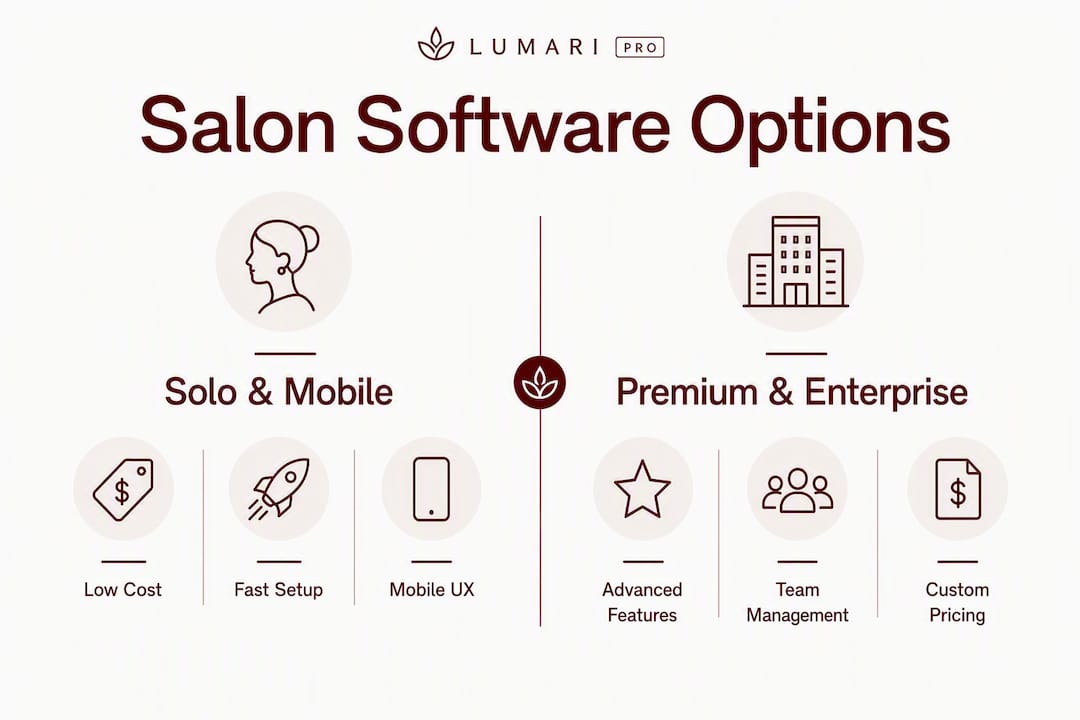
Quick shortlist by salon type:
- Suite renters and solo owners growing toward a team: Lumaripro (booking + financial dashboards + coaching)
- Small boutique salons wanting deep automation: Premium all-in-one platforms (Mangomint category)
- Independent stylists who want fast, simple booking: Mobile-first solo apps (GlossGenius category)
- Multi-location operators and chains: Enterprise platforms (Zenoti category)
The sections below evaluate each option on five axes that actually drive the decision: pricing model, POS and retail features, staff commissions, reporting depth, and integration quality. Those are the dimensions that separate a tool that fills your calendar from one that grows your business.
Pro Tip: Before you book a single demo, write down your top three business pain points. The best salon scheduling tool for your situation is the one that solves those three things — not the one with the longest feature list.
Table of Contents
- Best salon booking software compared: at-a-glance table
- How to choose salon booking software that actually fits your business
- 1. Lumaripro — the recommended pick for suite renters and growth-focused solo pros
- 2. Premium all-in-one platforms — what growing boutique salons should consider
- 3. Mobile-first solo apps — the fast-start option for independent stylists
- 4. Retail- and POS-first platforms for appointment-driven businesses
- 5. Enterprise platforms for multi-location salons and chains
- 6. Flexible payment and marketplace-friendly platforms
- 7. How we evaluated these platforms
- Key Takeaways
- What the booking software conversation usually gets wrong
- Lumaripro gives suite renters a real business platform, not just a booking tool
- Useful sources and further reading
Best salon booking software compared: at-a-glance table
The table below maps each platform or category against the dimensions that matter most when choosing. Use it to narrow to two finalists before you spend time on demos.
| Platform / Category | Best For | Price & Billing Model | Core Booking | POS & Retail | Staff & Commissions | Reporting & Analytics | Integrations | Mobile App | Onboarding & Support | Trial / Contract |
|---|---|---|---|---|---|---|---|---|---|---|
| Lumaripro | Suite renters, solo owners scaling to teams | Tiered monthly subscription | Online booking, calendar, rebooking automation | POS + QuickBooks integration | Commission tracking, coaching | Real-time financial dashboards | QuickBooks, POS, marketing tools | Yes | Expert coaching + guided onboarding | Flexible; no long-term lock-in |
| Premium all-in-one (Mangomint) | Growing boutique salons | Tiered monthly, per-location | Advanced booking, recurring | Full POS + retail inventory | Staff management, commissions | Advanced reporting | Broad (payments, marketing) | Yes | Dedicated onboarding | Free trial available |
| Mobile-first solo (GlossGenius) | Independent stylists, solo contractors | Low monthly + flat processing | Simple booking page, reminders | Mobile POS | Solo only | Basic | Payments | Yes, mobile-first | Self-serve | Free trial available |
| Retail/POS-first (Boulevard) | Retail-heavy salons | Tiered monthly | Online booking, client lifecycle | Advanced POS + hardware | Staff management | Strong | Payments, marketing | Yes | Dedicated onboarding | Contract terms vary |
| Enterprise (Zenoti) | Multi-location chains | Custom / quote-based | Enterprise booking, multi-location | Full POS + retail | Advanced payroll, commissions | Enterprise-grade | Custom / bespoke | Yes | Full implementation | Custom SLA |
| Marketplace/flexible (Vagaro, Mindbody) | Salons prioritizing new-client discovery | Per-seat monthly + marketplace fees | Online booking, marketplace listing | POS available | Staff management | Moderate | Marketplace, payments | Yes | Standard | Month-to-month options |
| Fresha | Salons wanting free base software + marketplace | Free base + % on marketplace bookings | Online booking, reminders | Basic POS | Basic | Basic | Marketplace | Yes | Self-serve | No contract |
| Vagaro | Solo to mid-size salons | Per-provider seat, monthly | Online booking, calendar | POS + retail | Staff management, commissions | Moderate | Payments, QuickBooks | Yes | Standard | Month-to-month |
| AvoSchedule | Small salons, budget-conscious owners | Low monthly | Online booking, calendar | Basic | Basic | Basic | Limited | Yes | Self-serve | Flexible |
| EnvisionNow | Established salons wanting full suite | Tiered monthly | Full booking suite | Full POS | Staff management, commissions | Strong | Payments, marketing | Yes | Dedicated | Contract terms vary |
| Mindbody | Wellness-adjacent salons, class-based | Per-location monthly | Booking + class scheduling | POS | Staff management | Strong | Marketplace, marketing | Yes | Standard | Contract terms vary |
Pricing snapshot: Solo plans across the market range from free (Fresha’s base tier) to roughly $30–$50/month for simple solo tools. Team and multi-location tiers typically run $100–$300+/month, billed per seat or per location. Enterprise platforms (Zenoti) are quote-based with implementation fees on top.
Best-for badges:
- Solo pros and suite renters: Lumaripro or a mobile-first solo app
- Multi-location operators: Enterprise platforms (Zenoti category)
- Marketplace-first acquisition: Fresha, Vagaro, or Mindbody
How to choose salon booking software that actually fits your business
Match the product class to your growth stage first. A solo suite renter and a six-chair boutique have almost nothing in common when it comes to what software needs to do. Platform choice shifts significantly by stage: independents want low cost and a clean UX; growing teams need commission tracking, staff management, and reporting that tells them whether Tuesday’s new stylist is profitable.
The 10-item selection checklist
- Online booking and calendar — Does the booking page work on mobile? Can clients rebook without calling?
- POS and retail management — Do you sell retail products? You need inventory tracking and receipt generation, not just appointment logging.
- Commission and staff management — If you have or plan to hire staff, commission tracking is non-negotiable from day one.
- Reporting and financial visibility — Can you see revenue by service, by stylist, and by week without exporting to a spreadsheet?
- Integrations — QuickBooks or your accounting tool, your payment processor, and your email/SMS marketing platform all need to talk to each other.
- Client experience — Automated confirmations, intake forms, and rebooking prompts. Automated retention tools capture roughly 60% of clients who would otherwise not rebook.
- Mobile app quality — You’re behind the chair, not at a desk. The mobile experience matters as much as the desktop one.
- Onboarding and training — Will someone help you migrate your client list, or are you on your own with a help center article?
- Contract terms — Month-to-month or annual lock-in? What are the exit fees?
- Data security — Where is your client data stored? Can you export it if you switch?
Questions to ask on every demo
- “What does data migration look like, and is it included?”
- “Do I get a dedicated onboarding contact or a ticket queue?”
- “What payment processors do you support, and what are the processing rates?”
- “Can I export my full client list and appointment history at any time?”
- “What hardware is compatible with your POS?”
- “Are there any features locked behind higher tiers that I’d need within 12 months?”
Red flags to walk away from
- Long-term contracts (12–24 months) with steep early-exit fees
- Opaque processing rates buried in the fine print
- No data export or client list portability
- Onboarding that costs extra and is required before you can use the platform
Pro Tip: Ask every vendor: “What happens to my data if I cancel?” A vendor that hesitates or gives a vague answer is telling you something important about how they view your relationship.
Independent professionals spend roughly 10 hours a week on admin tasks — scheduling, follow-ups, invoicing, and chasing no-shows. The right platform reclaims most of that. The wrong one adds to it.
1. Lumaripro — the recommended pick for suite renters and growth-focused solo pros
Lumaripro is built for the specific situation most booking tools ignore: a solo beauty professional or suite renter who is serious about running a real business, not just filling a calendar. The combination of appointment booking, real-time financial dashboards, AI business coaching, and expert-led playbooks puts it in a different category from pure scheduling tools.
Core features:
- Online booking with rebooking automation and client reminders
- Real-time financial dashboards connected to your POS and QuickBooks integration
- AI business companion trained on suite ownership economics (pricing strategy, retail margins, booth rental math)
- Expert-led coaching: group sessions and 1:1 guidance
- Business playbooks, templates, and a curated content library
- Peer support community of independent beauty professionals
- Membership and package tools for recurring revenue
- Staff training modules for owners transitioning from solo to team
Pricing: Lumaripro operates on a tiered monthly subscription model. Plan details and current pricing are available on the platform page; tiers scale with access to coaching, analytics depth, and community features.
Pros:
- The only platform that combines booking with genuine business coaching and financial intelligence
- Real-time dashboards replace spreadsheet guesswork with actual margin visibility
- Built by people who’ve worked behind the chair — the product reflects real suite economics
- Flexible subscription with no long-term lock-in
Cons:
- Deeper feature set means a slightly longer onboarding curve than a bare-bones booking app
- Best value for owners actively working to grow — not the right fit for someone who only wants a calendar
Onboarding: Lumaripro provides guided onboarding with access to expert support and coaching from day one. Data migration support, training resources, and a peer community reduce the time-to-value compared to self-serve tools. Expect to be fully operational within a week.
Platforms that pair software with business coaching produce faster, measurable improvements in rebooking rates and average ticket — which is exactly the gap Lumaripro is designed to close.
Pro Tip: Use Lumaripro’s financial dashboard in your first week to set a baseline: what’s your average ticket, your rebooking rate, and your retail-to-service revenue ratio? Those three numbers tell you where to focus first.

2. Premium all-in-one platforms — what growing boutique salons should consider
This category covers full-featured salon management suites like Mangomint: platforms that go deep on automation, reporting, and integrations for salons that have outgrown simple booking apps but aren’t yet at enterprise scale.
Strengths:
- Advanced booking automation (recurring appointments, waitlists, multi-service booking)
- Full POS with retail inventory management and receipt generation
- Staff management with commission tracking and payroll reporting
- Deep analytics: revenue by service, by stylist, by time period
- Polished client-facing booking widgets that embed on your website
Typical pricing: Tiered monthly plans, often starting around $165/month for small teams and scaling per location. Most offer a free trial period.
Best for: A boutique with 3–10 chairs that needs staff management, retail tracking, and reporting that goes beyond what a solo app provides. The automation depth pays off when you have multiple stylists and a retail shelf to manage.
Pros: Deep feature set, strong reporting, broad integrations. Cons: Higher monthly cost than solo tools; more setup time required; can be overkill for a single-chair operator.
3. Mobile-first solo apps — the fast-start option for independent stylists
Tools in this category, like GlossGenius, are designed for one thing: getting an independent stylist bookable and paid as fast as possible. Setup takes hours, not days.
Why mobile-first matters for solo stylists: You’re not at a desk managing a team. You need to check your calendar between clients, send a reminder from your phone, and take payment without fumbling through a complicated interface. These apps are built around that reality.
Typical feature set:
- Simple, branded booking page (shareable link or Instagram integration)
- Automated appointment reminders and confirmations
- Flat-rate payment processing
- Mobile POS for in-person payments
- Basic client profiles and notes
Pricing: Low monthly fees (often $24–$48/month) plus a flat processing rate. GlossGenius markets a flat processing approach with growth tools designed for independent professionals.
Best for: A solo stylist or independent contractor who wants to look professional, reduce no-shows, and get paid — without spending hours on software setup.
Pros: Fast onboarding, clean mobile UX, low overhead. Cons: Limited reporting, no staff management, not built to scale beyond one provider.
4. Retail- and POS-first platforms for appointment-driven businesses
Boulevard is the reference point for this category: platforms where the POS and retail experience are as important as the booking calendar. If your front desk sells product and your average ticket depends on retail add-ons, this is the category to evaluate.
Core strengths:
- Advanced POS with hardware support (card readers, receipt printers, cash drawers)
- Retail inventory management with low-stock alerts and product tracking
- Client lifecycle tools: automated follow-ups, membership management, loyalty programs
- Booking automation with service-specific intake forms and pre-visit messaging
Pricing: Tiered monthly plans, typically starting around $175/month for small teams and scaling with features and locations. Contract terms vary by plan.
Best for: A retail-heavy salon where the front desk is a revenue center, not just a check-in point. The POS depth and client lifecycle tools drive ticket lift in ways that simpler booking apps can’t match.
Pros: Strong retail management, polished client experience, advanced automations. Cons: Higher price point; more complex setup; may be more than a solo operator needs.
5. Enterprise platforms for multi-location salons and chains
Zenoti is the benchmark here. When you’re running five locations or fifty, the problems are different: centralized reporting across sites, workforce management at scale, custom integrations with your existing tech stack, and SLAs that mean something when a system goes down on a Saturday.
What enterprise-grade actually means:
- Centralized dashboard showing revenue, staff performance, and inventory across every location
- Advanced payroll and commission management with multi-tier structures
- Custom integrations with ERP, HR, and accounting systems
- Dedicated implementation team and SLA-backed support
- Franchise management tools for standardizing operations across owners
Pricing: Custom and quote-based. Implementation fees are standard and can run into the thousands. Budget for a 4–12 week implementation timeline depending on complexity.
Pros: Built for scale; handles complexity that mid-market tools can’t; strong SLA support. Cons: Expensive, slow to implement, and genuinely overkill for anything under three or four locations. A solo operator or small boutique will pay for features they’ll never use.
6. Flexible payment and marketplace-friendly platforms
Vagaro and Mindbody anchor this category. Both combine appointment booking with marketplace exposure — meaning new clients can discover your salon through the platform’s own directory, not just through your own marketing.
Marketplace features help fill empty slots, but they typically come with exposure fees or revenue-sharing models on marketplace-sourced bookings. That’s a real tradeoff worth understanding before you commit.
Typical features:
- Online booking with marketplace listing (clients find you through the platform)
- Per-provider seat pricing (Vagaro charges per provider per month)
- POS with retail management
- Staff management and commission tracking
- Marketing tools: email campaigns, loyalty programs, automated follow-ups
Fresha takes a different angle: the base software is free, and the platform monetizes through a percentage on marketplace-sourced bookings. That model works well if you’re building a client base from scratch; it gets expensive as marketplace bookings grow.
Pros: Built-in client discovery, broad feature sets, flexible billing. Cons: Marketplace fees add up; platform dependency for new-client acquisition is a real risk if the platform’s directory loses traffic or changes its algorithm.
For a broader look at how these platforms compare to alternatives, this roundup of salon platform alternatives covers several options worth evaluating alongside Vagaro and Mindbody.
7. How we evaluated these platforms
Every platform in this guide was assessed against nine dimensions: booking features, POS and retail management, staff management and commissions, reporting and analytics, integrations, mobile UX, onboarding quality, pricing transparency, and data security.
Evaluation methods used:
- Product demos and documentation review for each named platform
- Pricing page analysis (current as of 2026; pricing changes frequently, so verify directly)
- Industry roundups and editorial reviews from established salon business publications
- App store listings and user review signals for mobile-first tools
- Vendor-provided feature documentation and onboarding materials
- Community feedback from salon owner forums and discussion threads
Known limitations: Pricing figures are illustrative ranges based on publicly available information and may not reflect current promotions, negotiated rates, or regional variations. Some features are tier-dependent and may not be available on entry-level plans. Where we relied on vendor claims for features not independently verifiable, those are noted as vendor-stated.
Trust signals used: User review volume and sentiment (App Store, Google Play, industry forums), editorial coverage in salon business publications, and vendor proof points from onboarding and support materials. Review counts and ratings are one signal among several — not the primary ranking factor.
For additional platform comparisons and independent perspectives, this overview of scheduling platform alternatives covers several tools worth cross-referencing.
Key Takeaways
Lumaripro is the strongest choice for suite renters and solo beauty professionals who want booking software that also drives business growth — not just fills a calendar.
| Point | Details |
|---|---|
| Match platform to growth stage | Solo pros need low cost and simple UX; growing teams need commissions, staff management, and real reporting. |
| Automated retention is a growth lever | Rebooking prompts and targeted follow-ups capture roughly 60% of clients who would otherwise not rebook. |
| Admin time is recoverable | Independent professionals spend roughly 10 hours a week on admin; the right platform reclaims most of it. |
| Ask about data portability first | Always confirm you can export your full client list before signing — it’s the clearest signal of a fair vendor. |
| Lumaripro for suite renters and solo owners | Combines booking, real-time financial dashboards, and expert coaching in one platform built for independent beauty pros. |
What the booking software conversation usually gets wrong
The standard advice is to pick the platform with the most features for your budget. That framing is backwards, and it’s why so many salon owners end up switching systems 18 months in.
The real question isn’t “which tool has the most?” It’s “which tool closes the gap between where my business is now and where I need it to be?” Those are different questions with different answers depending on your stage.
A solo suite renter who buys an enterprise platform gets buried in features she’ll never use and pays for complexity that slows her down. A boutique owner who picks a bare-bones mobile app because it’s cheap ends up doing commission math in a spreadsheet every Friday night. Neither outcome is about the software being bad. It’s about the wrong fit for the stage.
The other thing most comparisons miss: software adoption is a behavior change, not a technology purchase. The platforms that produce measurable improvements in rebooking rates and average ticket are the ones that pair the tool with coaching, onboarding, and actual guidance on how to use the data. A dashboard nobody looks at is just an expensive calendar.
That’s the specific gap Lumaripro was built to close. The financial dashboards matter. The QuickBooks integration matters. But the coaching and the playbooks are what turn those features into a business outcome a solo owner can actually act on.
Lumaripro gives suite renters a real business platform, not just a booking tool
Most booking apps were built for salons with a front desk, a retail shelf, and a team of stylists. Suite renters and solo beauty pros are an afterthought — shoehorned into plans designed for a different business model entirely.
Lumaripro was built the other way around: starting with the realities of suite ownership, booth rental economics, and what it actually takes to build a client base without the infrastructure of a traditional salon. The AI business companion connects to your POS and QuickBooks, replacing spreadsheet guesswork with real dashboards. The expert coaching and playbooks give you a clear path from “I’m fully booked” to “I’m running a profitable business.”
If you’re evaluating platforms right now, use the checklist in this guide on your demos. Then explore Lumaripro’s platform and pricing to see how the coaching and financial intelligence layer compares to a standard booking tool. A guided demo is available — and the onboarding support means you’re not figuring it out alone.
Useful sources and further reading
- The Salon Business — Best Salon Software Guide 2026 — Comprehensive industry roundup covering platform categories, pricing models, and evaluation criteria. Used for category distinctions and pricing ranges throughout this guide.
- GlossGenius on the App Store — App listing used for mobile-first solo tool feature set, pricing approach, and retention data points.
- StyleSeat on Google Play — App listing used for marketplace feature context and admin time data.
- EnvisionNow — Best Salon Scheduling Software — Industry editorial covering scheduling platform options and selection criteria.
- Vagaro Salon Software — Vagaro’s platform page; used for per-provider pricing model and feature set reference.
- Fresha for Business — Fresha’s platform page; used for free-base-plus-marketplace-fee model reference.
- Lumaripro Expert Support — Coaching, onboarding, and expert support details for Lumaripro subscribers.
Recommended