For most independent salon owners, Square Appointments is the best starting point for salon point of sale: free for solo stylists, solid booking and card-on-file, and no monthly fee until you hire staff. But “best” shifts fast once you factor in retail volume, booth rental structure, or multi-location ambitions.
Here is the shortlist:
- Mobile-first appointment POS (Square Appointments, GlossGenius): Best for solo stylists and booth renters who need booking, deposits, and card processing with minimal setup.
- All-in-one booking and POS platform (Vagaro, Boulevard): Best for small-to-mid salons (2–10 chairs) that want scheduling, CRM, memberships, and payroll in one place.
- Marketplace-enabled budget POS (Fresha): Best for price-sensitive owners who want free software and marketplace exposure to attract new clients.
- Retail-focused POS (Lightspeed, Shopify POS): Best for salons where retail sales rival service revenue and barcode inventory is non-negotiable.
- Enterprise salon platform (Zenoti): Best for multi-location brands that need centralized reporting, staff controls, and advanced analytics.
- Payments-first terminal POS (Clover, eHopper, PayPal Zettle, Stripe POS): Best for owners who already have booking software and just need reliable card processing hardware.
If you run a solo suite or booth rental, start with the mobile-first section. Small team? Go straight to the all-in-one comparison. Retail-heavy or growing to multiple locations? Jump to the retail-focused and enterprise profiles.
Lumaripro is the recommended business platform to run alongside any of these POS systems. It connects to your POS and QuickBooks, gives you real-time financial dashboards, and replaces the guesswork in pricing, retail margins, and client retention with actual data built for beauty businesses.
Key Takeaways
The best salon POS system is the one that matches your current revenue structure, not the one with the longest feature list.
| Point | Details |
|---|---|
| Match POS to your revenue driver | Services-first salons prioritize scheduling and CRM; retail-heavy salons need barcode inventory and purchase orders. |
| Deposits protect real income | A POS that handles deposits and card-on-file natively is worth a higher monthly fee for any stylist with a full book. |
| True cost includes processing fees | Processing fees typically exceed the subscription cost; calculate total cost at your actual monthly card volume before deciding. |
| Migrate with a written plan | Export all client data, test card-on-file billing, and go live on a Monday with a rollback plan ready. |
| Lumaripro adds financial clarity | Lumaripro connects to your POS and QuickBooks to replace guesswork with real dashboards on pricing, retail margins, and retention. |
Table of Contents
- How do the best salon POS systems compare at a glance?
- Which POS approach fits your salon type?
- How these picks were evaluated
- What features should you require from any salon POS?
- How subscription, processing, and hardware costs add up
- Mini-profiles of the top salon POS approaches
- Questions to ask and things to test before you commit
- How to migrate to a new salon POS without losing clients or data
- What the POS conversation is really missing
- Lumaripro helps you get more from any salon POS
- Sources
How do the best salon POS systems compare at a glance?
Forbes Advisor’s roundup confirms what most salon owners discover the hard way: the right POS depends heavily on business size, service mix, and how much retail you move. The table below maps each category to the dimensions that actually matter in a salon.
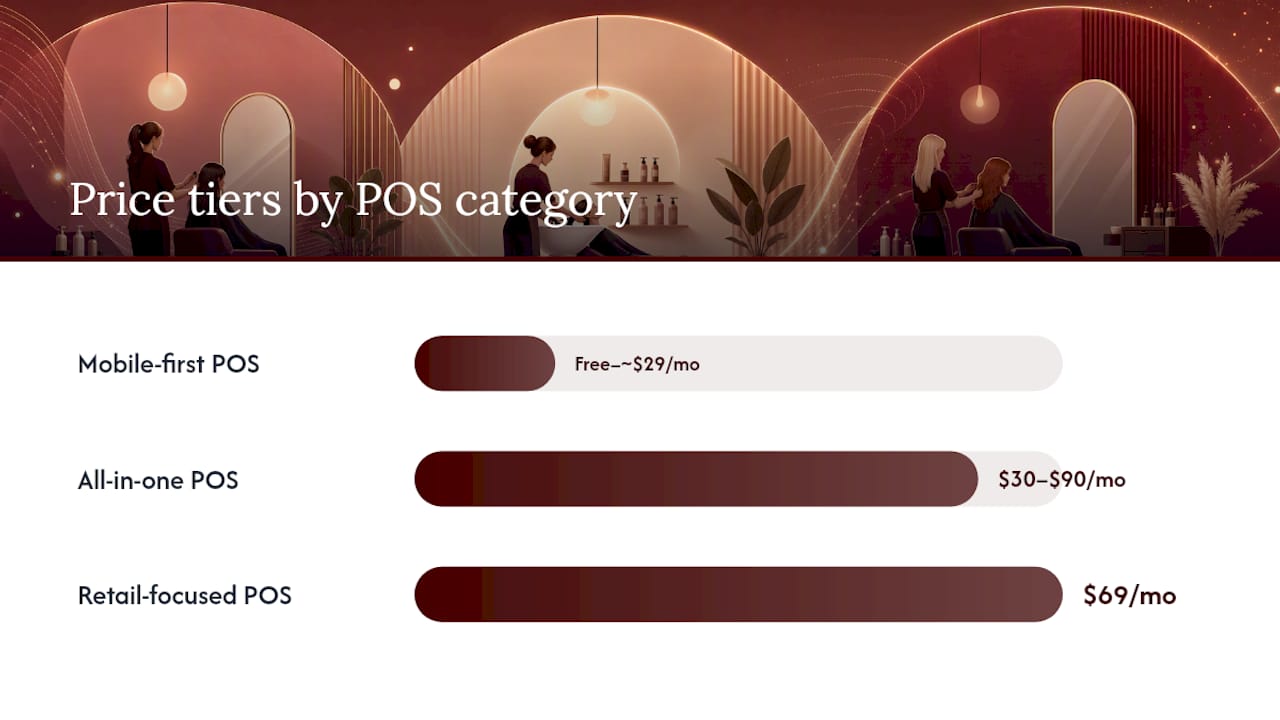
| POS Category | Best For | Key Salon Features | Pricing Shape | Hardware & Payments | Integrations | Ease of Use | Support |
|---|---|---|---|---|---|---|---|
| Mobile-first appointment POS | Solo stylists, booth renters | Scheduling, deposits, card-on-file, tips, basic CRM | Free to ~$29/mo; 2.6%+10¢ per swipe | Reader + tablet; tap-to-pay | QuickBooks, Google Calendar, email marketing | Very easy; same-day setup | Chat, email; limited phone |
| All-in-one booking + POS | Small salons, 2–10 chairs | Full scheduling, CRM, memberships, commissions, inventory | $30–$90/mo; bundled processing | Tablet, terminal, reader | QuickBooks, Mailchimp, payroll | Moderate; 1–3 days onboarding | Chat, phone, onboarding calls |
| Marketplace-enabled budget POS | Budget-conscious owners | Booking, deposits, no-show fees, basic inventory | Free software; processing fees apply | Card reader, tablet | Limited third-party; in-app marketplace | Easy; marketplace drives clients | Email, in-app chat |
| Retail-focused POS | Retail-heavy salons | Barcode inventory, purchase orders, service add-ons | $69/mo; separate processor option | Full register, scanner, receipt printer | QuickBooks, Shopify ecommerce, payroll | Moderate to complex | Phone, chat, dedicated rep |
| Enterprise salon platform | Multi-location brands | Multi-location controls, advanced analytics, payroll, loyalty | Custom pricing; enterprise contracts | Full hardware suite | ERP, payroll, marketing automation | Requires training; full onboarding | Dedicated CSM, phone, SLA |
| Payments-first terminal POS | Owners with existing booking tools | Card processing, basic sales tracking, tips | $14/mo; 2.3%–2.9%+ per transaction | Physical terminal, countertop reader | Limited; API-dependent | Very easy | Phone, chat varies by vendor |
As Thesalonbusiness, modern salon POS platforms have converged on integrated payments, client CRM, and mobile checkout as baseline features. The real differentiation now sits in inventory depth, reporting quality, and whether the platform gives you marketplace exposure or keeps your brand front and center.
Stat to know: According to IBISWorld’s hair salons industry report, hair and beauty services represent a sizable, service-led U.S. industry. That service-first revenue structure is exactly why scheduling and client records tend to outrank inventory in most salon POS decisions.
Which POS approach fits your salon type?
Not every salon needs the same system. Here is how to match your business profile to the right category, based on how your revenue actually flows.
Solo stylist or booth renter A mobile-first appointment POS is almost always the right call. You need booking, deposits to protect against no-shows, card-on-file for easy checkout, and tip collection. You do not need payroll, multi-location controls, or enterprise reporting. The free tiers on platforms like Square Appointments and GlossGenius cover the basics without a monthly subscription eating into your booth rent. Trade-off: marketplace exposure is limited, so you are building your own client list from day one.
Small salon, 2–6 chairs An all-in-one booking and POS platform pays off here. You need staff calendars, commission tracking, and a CRM that remembers client preferences across multiple stylists. Vagaro and Boulevard both sit in this category. The trade-off is a monthly subscription ($30–$90 typically), but the time saved on manual commission calculations and appointment conflicts usually justifies it within the first month.
Growing salon, 7–20 chairs You are outgrowing a simple booking tool. Look for an all-in-one platform with payroll integration, membership management, and strong reporting. Retail inventory becomes more important at this size because product sales can represent a meaningful share of revenue. A retail-focused POS with service add-ons may also work if your product margins are high.
Multi-location or franchise brand Enterprise salon platforms exist for this reason. Centralized staff controls, location-level reporting, loyalty programs that work across sites, and dedicated support are non-negotiable at this scale. Zenoti is the most cited platform in this category. Expect custom pricing and a longer implementation timeline.
Mobile stylist or on-site spa A payments-first terminal POS paired with a simple booking app is often the leanest setup. PayPal Zettle, Stripe POS, and eHopper all offer compact hardware that travels well. The gap is CRM depth: most terminal-first systems do not store rich client notes or rebooking prompts, so you may need a separate booking tool alongside.
How these picks were evaluated
These recommendations are based on a structured review of published pricing and feature pages, independent roundups from Forbes Advisor, NerdWallet, TheSalonBusiness.com, and Limelight Payments, plus PCI Security Standards Council documentation for compliance requirements. No vendor paid for placement.
The evaluation weighted these criteria, in order:
- Salon-specific workflows: Does the system handle appointment scheduling, deposits, no-show fees, tip splitting, and commission tracking natively, without workarounds?
- Pricing transparency: Are subscription costs, per-staff fees, and card processing rates published clearly, or buried in a sales call?
- Integration depth: Does the platform connect to QuickBooks, payroll tools, and email marketing without expensive custom development?
- Real-world reputation: Do independent review roundups and verified user ratings align with vendor claims?
- PCI compliance and security: Does the vendor document their compliance posture and support tokenized card-on-file storage?
- Support quality: Is phone or chat support available during salon hours, and is onboarding included?
One honest limit: card processing rates vary by volume, card type, and negotiated agreements. The rates cited here reflect published standard rates; high-volume salons should negotiate directly with processors. Regional processor fees also vary, so always request a full fee schedule before signing.
What features should you require from any salon POS?
The features below are not a wish list. They are the baseline for a system that actually fits how salons operate, drawn from Limelight Payments’ 2026 review and cross-checked against independent roundups.
- Appointment scheduling with staff calendars: Multi-staff booking views, buffer times between appointments, and color-coded calendars are standard. If a system requires manual scheduling workarounds, walk away.
- Deposits and no-show management: The ability to charge a deposit at booking and enforce a cancellation policy is worth more than almost any other feature for protecting revenue. Card-on-file makes this frictionless.
- Card-on-file and secure recurring payments: Tokenized storage of client cards lets you charge deposits, memberships, and late fees without re-entering card data. This is also a PCI compliance requirement.
- Tip and commission management: Tips should split cleanly by payment type (cash vs. card), and commission structures (percentage of service, tiered, or flat) should be configurable per staff member.
- Client records and visit notes: Color formulas, service history, product preferences, and allergy notes belong in the client profile. A POS that treats every appointment as a fresh transaction is not built for salons.
- Retail inventory and barcode support: If you sell product, you need SKU tracking, low-stock alerts, and ideally purchase order support. A system that tracks inventory only at the category level will cost you in shrinkage and over-ordering.
- Rebooking prompts at checkout: The best time to book a client’s next appointment is while they are still in the chair. A POS that surfaces a rebooking prompt at checkout can meaningfully improve retention without any extra marketing spend.
- Memberships and packages: Monthly membership plans and prepaid service packages drive predictable recurring revenue. Not every system handles these natively; confirm before you commit.
- Marketplace exposure vs. private booking: Some platforms (Fresha, Vagaro) list your salon on a consumer marketplace, which drives new clients but also puts you next to competitors. Others keep your booking page private and branded. Neither is wrong, but the choice affects your long-term brand control.
On PCI compliance: The PCI Security Standards Council sets the baseline requirements every merchant must meet to protect cardholder data. Salon POS systems that store card-on-file data are particularly exposed if they use outdated terminals or unencrypted storage. Ask every vendor for their PCI compliance documentation before signing.
Pro Tip: Ask your vendor how the system handles a service modification at checkout. If a client adds a gloss treatment mid-appointment, can a staff member update the ticket without voiding the deposit or re-running the card? Systems that handle this cleanly save real time on busy Saturdays.
How subscription, processing, and hardware costs add up
The monthly subscription is rarely the biggest number. Processing fees on card transactions usually are, especially once you factor in tips. Here is how the cost layers stack.
The main cost layers:
- Base subscription (per location or per user)
- Per-staff seat fees (common in mid-tier platforms)
- Card processing: typically 2.3%–2.9% plus a per-transaction fee
- Hardware: readers ($49–$299), tablets ($300–$700), full register setups ($800–$1,500+)
- Add-on modules: payroll, advanced reporting, SMS marketing, API access
- Marketplace commissions (on some budget platforms, a percentage of bookings sourced through the marketplace)
- Onboarding and migration fees (sometimes waived, sometimes $200–$500+)
As NerdWallet points out, processing fees and ecosystem compatibility often determine the true cost for a small business owner. A “free” software plan with a 2.9% processing rate costs more than a $30/month plan with a 2.5% rate once you cross roughly $6,000 in monthly card volume.
Sample monthly budgets by salon size:
Hidden costs to watch for:
- Cancellation fees or long-term contracts (some enterprise platforms lock you in for 12–24 months)
- API access fees for connecting third-party tools
- Custom integration development costs
- PCI non-compliance fees charged by processors if your terminal is out of date
- Per-SMS or per-email fees for automated reminders beyond a monthly allowance
If you can negotiate, ask for a flat-rate processing agreement or a volume discount once you exceed $10,000 in monthly card volume. Some all-in-one platforms allow you to bring your own processor; others lock you into their payment network. The lock-in question is worth asking before you sign anything.
Mini-profiles of the top salon POS approaches
Here is how the main categories behave in real salon operations, with the named platforms that represent each one.
Mobile-first appointment POS: Square Appointments and GlossGenius
**Square Appointments is free for solo stylists and $29/month for teams, with card processing at 2.6% plus 10 cents per tap or swipe. It handles booking, deposits, card-on-file, tips, and basic inventory. The Square ecosystem connects to QuickBooks, Google Calendar, and a wide range of marketing tools. GlossGenius targets the same audience with a stronger emphasis on branding and a fixed monthly fee plus standard processing fees.
Pros: No monthly fee for solos (Square), fast setup, strong booking UX, wide hardware options, large developer ecosystem. Cons: Inventory depth is limited for retail-heavy salons; commission structures are basic; enterprise reporting is absent. Best fit signal: You are a solo stylist or booth renter who wants to be up and running today.
All-in-one booking and POS: Vagaro and Boulevard
Vagaro starts at $30/month for a single location and scales by the number of bookable staff. It includes scheduling, CRM, memberships, payroll, and a consumer marketplace. Boulevard is positioned slightly higher, with a stronger focus on client experience, automated rebooking, and deposit workflows. Both integrate with QuickBooks and email marketing tools.
Pros: Deep salon-specific workflows, marketplace exposure (Vagaro), strong CRM, membership and package management. Cons: Marketplace exposure means your clients see competitors; Boulevard’s pricing is higher and less transparent upfront. Best fit signal: You have 2–8 staff and want one system to handle booking, checkout, and client records without stitching together separate tools.
Marketplace-enabled budget POS: Fresha
Fresha offers free salon management software with no monthly subscription. Revenue comes from a percentage fee on new clients booked through the Fresha marketplace and from payment processing. It covers booking, deposits, no-show fees, basic inventory, and a client app.
Pros: Zero monthly cost, marketplace drives new client discovery, clean booking interface. Cons: Marketplace commission on new clients adds up; limited third-party integrations; reporting is basic. Best fit signal: You are starting out and need to build a client base without upfront software costs.
Retail-focused POS: Lightspeed and Shopify POS
Lightspeed starts at $69/month and is built around serious inventory management: barcode scanning, purchase orders, vendor management, and multi-location stock. It handles service add-ons but is not a native appointment scheduler. **Shopify POS, priced at $89/month for the full version, is strongest when your salon also runs an ecommerce store selling product online.
Pros: Best-in-class inventory, strong ecommerce integration (Shopify), multi-location stock visibility. Cons: Appointment scheduling requires a third-party integration; learning curve is steeper; overkill for service-only salons. Best fit signal: Retail product sales represent 30% or more of your revenue, or you sell product online.
Enterprise salon platform: Zenoti
Zenoti is built for multi-location salon and spa brands. It covers centralized staff management, location-level reporting, loyalty programs, payroll, and marketing automation. Pricing is custom and typically requires a sales conversation. Implementation takes weeks, not days.
Pros: Purpose-built for scale, strong analytics, dedicated customer success manager, handles complex commission structures. Cons: Expensive, long implementation, overkill for single-location salons. Best fit signal: You operate three or more locations and need centralized control with location-level flexibility.
Payments-first terminal POS: Clover, eHopper, PayPal Zettle, and Stripe POS
These systems lead with hardware and payment processing. Clover’s salon-focused marketing highlights fast setup, staff scheduling, and integrated payments, though independent reviews suggest validating those claims against your specific workflow. PayPal Zettle and Stripe POS offer compact readers with competitive rates and minimal monthly fees. eHopper provides a free POS tier with optional add-ons.
Pros: Low or no monthly fee, reliable card processing, compact hardware, easy to add alongside existing booking software. Cons: Thin salon-specific features (limited CRM, no native appointment scheduling), support quality varies. Best fit signal: You already have a booking tool you love and just need a dependable payment terminal.
Questions to ask and things to test before you commit
Walk into every vendor demo with this checklist. The goal is to surface gaps before you sign, not after you migrate.
What to test in a live demo:
- Book a multi-staff appointment, modify it mid-session, and process checkout with a tip split.
- Add a retail product to a service ticket and apply a staff discount.
- Charge a deposit at booking, then apply it at checkout.
- Run a commission report for one staff member across a date range.
- Attempt a refund on a card-on-file transaction.
Questions to ask every vendor:
- Who owns the client data if I cancel? Can I export it in a standard format (CSV)?
- What is your PCI compliance documentation, and how do you handle card-on-file tokenization?
- Can I use a third-party payment processor, or am I locked into yours?
- What are the cancellation terms? Is there an early termination fee?
- Is API access included in my plan, or is it an add-on?
- What onboarding and training is included? Is there a dedicated onboarding rep?
- What is your support SLA? Is phone support available during my salon hours?
- How do you handle tip adjustments after a transaction closes?
Red flags to walk away from:
- Fees that only appear in the fine print of a contract, not on the pricing page.
- No written PCI compliance policy or vague answers about card-on-file security.
- A demo that skips deposit workflows or tip splitting because “most clients don’t use that.”
- Onboarding described as “just watch our video library.”
- A 24-month contract with a steep cancellation penalty for a system you have never used.
How to migrate to a new salon POS without losing clients or data
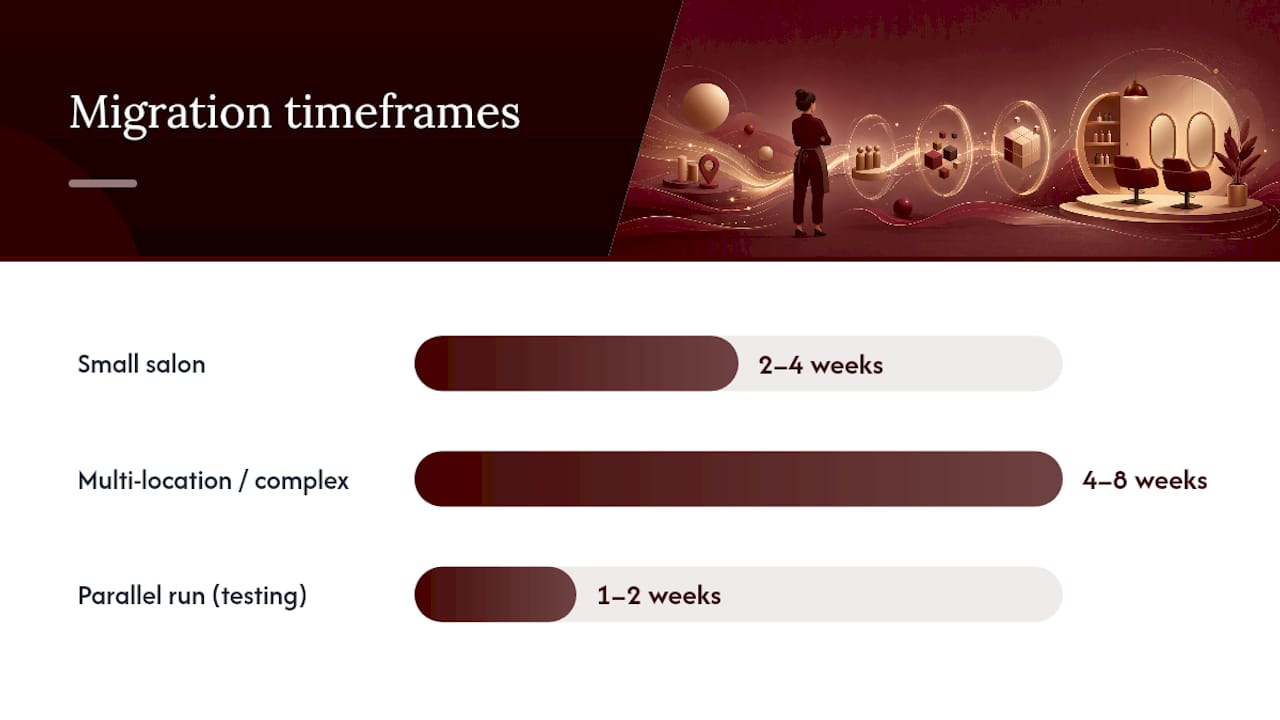
Switching systems is the part most owners dread, and for good reason. A botched migration can mean lost appointment history, confused clients, and a chaotic go-live day. Plan for two to four weeks for a small salon; four to eight weeks if you have multiple locations, complex memberships, or a large retail inventory.
Migration checklist:
- Export client records (name, contact, visit history, color formulas, notes) from your current system in CSV or JSON format.
- Export gift card balances and active membership details separately; confirm the new system can import them.
- Document all open packages and prepaid services so you can honor them in the new system.
- Map your service menu and pricing exactly before importing; mismatched service names create booking errors.
- Test card-on-file billing on a small batch of clients before go-live.
- Set up staff permissions and commission structures in the new system and have each staff member log in before launch day.
- Run parallel systems for one to two weeks if volume allows: take new bookings in the new system while completing existing appointments in the old one.
- Have a rollback plan: know exactly how to revert to your old system if go-live fails.
Integrations to map before you switch:
- QuickBooks or your accounting software: confirm the integration syncs sales, refunds, and tips correctly, not just totals.
- Payroll: if your POS feeds payroll, test the export format before your first pay period on the new system.
- Email and SMS marketing: re-verify your client list opt-ins in the new platform to stay compliant with CAN-SPAM and TCPA rules.
- Online booking widget: update your website and Google Business Profile booking link on go-live day.
- Appointment reminders: configure reminder timing and message templates before your first live bookings.
Pro Tip: Schedule your go-live on a Monday or Tuesday, never a Friday. You want your busiest support window ahead of you, not behind you, if something breaks.
What the POS conversation is really missing
Most salon POS roundups are written by people who have never run a column. They rank features by checkbox count and call it a day. Here is what that misses.
The deposit feature is not a nice-to-have. For a solo stylist charging $150 per appointment, two no-shows in a week wipe out a day’s income. The POS systems that handle deposits well, where the client pays at booking and the balance clears at checkout without a second card swipe, are worth paying more for. Systems that technically offer deposits but bury the setup in three menus and require manual reconciliation are not actually solving the problem.
The marketplace question is more consequential than most owners realize. Fresha and Vagaro both list your salon alongside competitors. That drives new clients, which is genuinely valuable when you are starting out. But it also trains clients to shop by price and availability rather than by loyalty to you. Once you have a full book, the marketplace becomes a liability. The smarter move is to use a marketplace-enabled platform early, then migrate to a private booking page once your retention rate is strong enough to sustain it.
The biggest mistake in POS selection is optimizing for features you do not yet have. A four-chair salon does not need enterprise analytics. A solo stylist does not need multi-location inventory controls. Buy for where you are now, with a clear upgrade path for where you are going in 18 months. The platforms that make upgrading easy, without a full data migration, are worth the slight premium.
Lumaripro helps you get more from any salon POS
Choosing the right POS is only half the equation. The other half is knowing whether it is actually working for your business: whether your service pricing covers your costs, whether your retail margins are healthy, and whether your client retention rate is moving in the right direction.
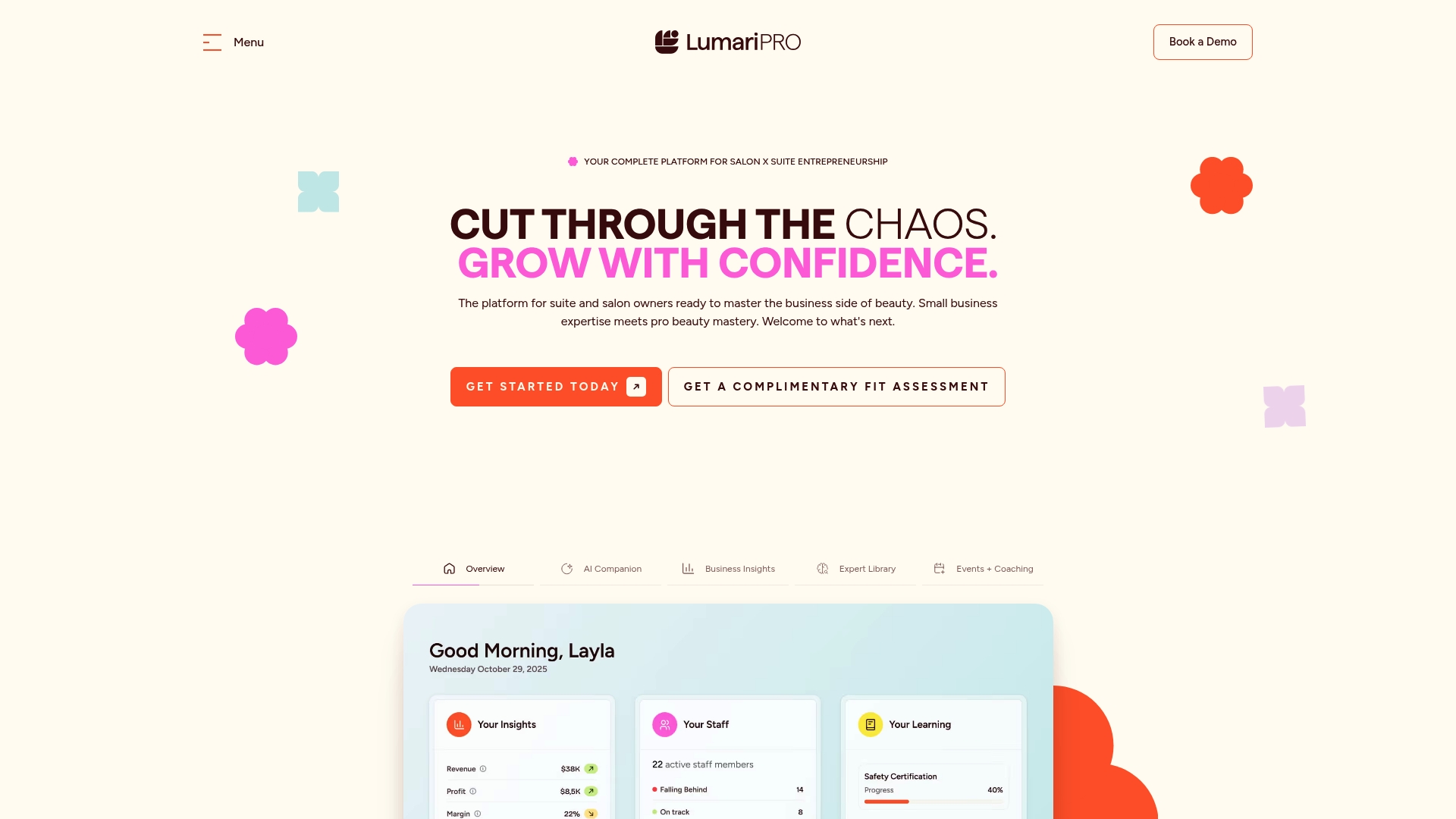
Lumaripro connects to your POS and QuickBooks to give independent salon owners and suite renters a real-time financial dashboard built specifically for beauty businesses. You get AI-powered coaching on pricing strategy, retail margins, and client retention, plus migration playbooks that walk you through switching systems without losing data or clients. Instead of guessing whether your new POS is paying off, you see the numbers directly.
For owners who are mid-migration or still evaluating systems, Lumaripro’s hands-on coaching and migration support can cut weeks off the process. See how the Lumaripro platform fits alongside your POS workflow and request a walkthrough today.
Sources
These are the primary references used in this article. Each is worth bookmarking for your own vendor evaluation.
- Pcisecuritystandards
- Best Salon POS Systems – Forbes Advisor
- Thesalonbusiness
- IBISWorld — Hair salons industry report
- Best POS Systems for Small Businesses — NerdWallet
- Top 7 Salon and Spa POS Systems for 2026 — Limelight Payments
- Salon POS System and Management Software | Clover
Recommended