For most U.S. salon owners, the best salon scheduling apps come down to three things: reliable booking, PCI-compliant payment processing, and calendar controls that actually fit how your team works. LumariPRO is the top pick for suite renters and solo pros scaling into multi-provider teams, combining AI coaching, real-time financial dashboards, and QuickBooks integration in one platform built specifically for beauty businesses.
Here’s the fast shortlist if you’re pressed for time:
- LumariPRO — Best for suite renters and solo stylists scaling to small teams
- Vagaro — Best for full-service salons that need POS-first functionality
- Fresha — Best for budget-conscious salons wanting marketplace visibility
- GlossGenius — Best for solo pros who want a polished, brand-forward client page
- Acuity Scheduling — Best for salons needing deep calendar customization
- Square Appointments — Best if you already run Square payments and POS
- Goldie — Best for independent pros who want a mobile-first workflow with an AI receptionist
No-shows are one of the most common revenue leaks in the beauty industry. Requiring a card on file or collecting a deposit at booking is one of the most effective ways to close that gap, and every app on this list handles it differently.
Pro Tip: Before committing to any platform, test its deposit and card-on-file flow with a real booking. That single feature will tell you more about the platform’s payment maturity than any feature checklist.
Key Takeaways
The right salon scheduling app is the one that matches your business stage today and has room to grow with you, not the one with the longest feature list.
| Point | Details |
|---|---|
| Match software to your lifecycle | Solo stylists need booking and payment; growing teams need staff sync, buffers, and analytics. |
| Card-on-file reduces no-shows | Requiring a deposit or card at booking is one of the most effective ways to protect revenue from cancellations. |
| Marketplace visibility has tradeoffs | Fresha and similar platforms drive new-client discovery but reduce long-term brand and client ownership. |
| Test before you migrate | Run a live calendar import and full booking flow during the free trial to catch onboarding friction early. |
| LumariPRO for suite renters scaling up | LumariPRO combines scheduling, AI coaching, and financial dashboards purpose-built for independent beauty pros growing a team. |
Table of Contents
- Which salon scheduling app fits your business?
- How to choose the right salon scheduling app for your business
- Why LumariPRO is the recommended pick for suite renters and scaling solo pros
- Vagaro is the go-to for full-service salons that need POS-first functionality
- Fresha works best when marketplace visibility is the priority
- GlossGenius gives solo beauty pros a polished, brand-forward booking experience
- Acuity Scheduling suits salons that need serious calendar flexibility
- Square Appointments makes sense if Square is already your payment system
- How long does onboarding actually take?
- Data security and compliance: what to check before you sign up
- Why the best app is rarely the one with the most features
- LumariPRO gives suite renters more than a booking page
Which salon scheduling app fits your business?
The table below compares all seven apps on the dimensions that actually drive the decision. Pricing and free plan availability are confirmed at time of writing; always verify current rates directly with each vendor.
| App | Best For | Pricing & Free Plan | Payments & POS | Online Booking | Staff Scheduling | CRM & Retention | Reporting & Analytics | Integrations | Ease of Setup | Scalability |
|---|---|---|---|---|---|---|---|---|---|---|
| LumariPRO | Suite renters & solo pros scaling to teams | Subscription tiers; free trial available | POS & QuickBooks integrations | Client-facing booking page | Multi-provider calendar | AI coaching + retention playbooks | Real-time financial dashboards | QuickBooks, POS, payment processors | Hands-on onboarding support | Solo to small multi-provider |
| Vagaro | Full-service multi-stylist salons | Paid plans; free trial | Full POS, payroll, inventory | Marketplace + direct booking | Multi-staff, room/resource scheduling | Email/SMS marketing tools | Business reporting suite | Stripe, QuickBooks, Zoom | Moderate learning curve | Mid-size to multi-location |
| Fresha | Budget-conscious salons & marketplace discovery | Free core plan; pay-per-new-client fee | Built-in payments (processing fees apply) | Fresha marketplace listing | Multi-staff support | Automated reminders | Basic reporting | Limited third-party integrations | Very easy | Solo to mid-size |
| GlossGenius | Solo beauty pros prioritizing brand aesthetics | Flat monthly fee; free trial | Integrated card reader & payments | Custom branded booking page | Solo-focused; limited multi-staff | Client notes, rebooking prompts | Basic analytics | Limited; Stripe-based payments | Very easy | Solo to small studio |
| Acuity Scheduling | Salons needing custom calendar & form logic | Tiered plans; free trial | Stripe, Square, PayPal | Embeddable booking widget | Google/Outlook/iCal sync | Intake forms, follow-up emails | Basic reporting | Zapier, Google Calendar, Zoom | Easy to moderate | Solo to growing team |
| Square Appointments | Salons already using Square POS | Free for solo; paid for teams | Native Square POS & hardware | Square Go marketplace | Multi-staff calendar | Client profiles, automated reminders | Square Dashboard reporting | Square ecosystem (payroll, marketing) | Very easy for Square users | Solo to multi-location |
| Goldie | Independent pros wanting mobile-first workflows | Free plan; paid tiers | Built-in payments | Mobile booking page | Multi-staff (paid plans) | Repeat booking, client history | Basic reporting | Limited integrations | Very easy | Solo to small studio |
Pro Tip: During your free trial, import your existing calendar and run a test booking end-to-end, including the deposit flow and a cancellation. Testing a live calendar import during the trial uncovers onboarding friction before you’re locked in.
How to choose the right salon scheduling app for your business
The single factor that moves the needle most is matching software to your business lifecycle stage: solo stylists need clean booking and payment, while growing teams need staff sync, buffer times, and analytics. Everything else is secondary.
The decision checklist
Start here before you open a single demo:
- Marketplace exposure vs. brand ownership — Platforms that combine scheduling with a client marketplace often trade long-term customer ownership for short-term discovery. Fresha’s marketplace can fill your book fast, but your clients are partly Fresha’s clients too.
Questions to ask during a demo
- What are the trial limitations? Can I import real client data?
- What does data export look like if I leave?
- Is there an onboarding fee, and what does it include?
- Are contracts month-to-month or annual?
- Is payment processing PCI-compliant, and how is card-on-file data stored?
- What are your support hours, and is there phone support?
Red flags to watch for
- Opaque per-transaction fees buried in the fine print
- Long-term contracts with steep cancellation penalties
- No data export or CSV download option
- No card-on-file or deposit support
- Support limited to email tickets with multi-day response times
For multi-location operations with advanced payroll and centralized reporting needs, platforms like Mangomint and Zenoti are frequently recommended by editorial overviews as enterprise-tier options beyond this list.
Why LumariPRO is the recommended pick for suite renters and scaling solo pros
LumariPRO is built for one specific situation: a beauty professional running an independent business, whether that’s a single suite or a small team of two to five providers, who needs more than a booking page.
Most scheduling apps stop at appointments. LumariPRO layers in AI-powered business coaching, real-time financial dashboards, and business playbooks trained on the actual economics of suite ownership, including service pricing, retail margins, and booth rental math. That’s a meaningfully different product than a calendar with payment processing bolted on.
Standout features:
- AI business companion with coaching and proven playbooks for beauty solopreneurs
- Real-time financial dashboards connecting to POS systems and QuickBooks
- POS and QuickBooks integrations for clean bookkeeping without manual entry
- Client messaging and retention tools built around repeat-booking behavior
- Staff training modules for teams scaling beyond solo
- Expert-led coaching: both group sessions and 1:1 support
- Curated content library and peer community for independent beauty pros
Pros:
- Purpose-built for suite renters and solo pros; not a generic tool adapted for beauty
- Hands-on onboarding support reduces the typical setup friction
- Financial dashboards replace spreadsheet guesswork for pricing and profitability
- Scales naturally from solo to small multi-provider without switching platforms
Cons:
- Deeper feature set means a slightly longer learning curve than bare-bones booking apps
- Best value for pros actively managing and growing a business; lighter users may not use the full platform
Pricing is subscription-based with monthly and annual options. For current plan details, the LumariPRO pricing page has the breakdown.
Pro Tip: If you’re a suite renter who’s ever wondered whether your service prices actually cover your booth rent and product costs, LumariPRO’s financial dashboards answer that question with real numbers, not gut feel.
Vagaro is the go-to for full-service salons that need POS-first functionality
Vagaro is the platform most full-service salons reach for when they need a single system to handle appointments, point-of-sale, payroll, and inventory without stitching together separate tools.
Standout features:
- Full POS with inventory management and payroll processing
- Multi-staff and resource scheduling (rooms, stations, equipment)
- Built-in email and SMS marketing tools
- Vagaro marketplace for client discovery
- Reporting suite covering sales, staff performance, and retention
Pros:
- Broad operational depth for salons with multiple service categories
- Marketplace listing adds a client acquisition channel
- Integrates with QuickBooks, Stripe, and Zoom
Cons:
- Feature depth comes with a steeper learning curve
- Pricing scales with the number of staff, which adds up for larger teams
- Less suited to solo suite renters who don’t need payroll or inventory
Vagaro fits a five-chair salon better than a solo stylist. If you’re running a full-service operation and want one platform to handle the whole business, it’s worth a demo.
Fresha works best when marketplace visibility is the priority
Fresha’s core appeal is simple: the free plan covers basic scheduling, and the marketplace listing puts your salon in front of clients actively searching for services in your area.
Standout features:
- Free core plan with no monthly subscription fee
- Fresha marketplace for new-client discovery
- Automated appointment reminders
- Multi-staff scheduling on paid tiers
- Built-in payment processing
Pros:
- Zero monthly cost to start makes it accessible for new or budget-conscious salons
- Marketplace exposure can accelerate client acquisition
- Clean, easy setup
Cons:
- Fresha charges a per-booking fee for new clients acquired through the marketplace
- Limited third-party integrations compared to Vagaro or Acuity
- Marketplace-driven bookings can reduce long-term client ownership; a retention strategy matters here
- Reporting is basic; not suited for data-driven business decisions
Fresha makes sense as a starting point or a secondary channel for new-client discovery. Salons that want full control over their brand and client data will likely outgrow it.
GlossGenius gives solo beauty pros a polished, brand-forward booking experience
GlossGenius is designed for the independent stylist or esthetician who wants their booking page to look as good as their work. The emphasis is on aesthetics and simplicity, not operational depth.
Standout features:
- Custom-branded client booking pages with design-forward templates
- Integrated card reader and payment processing
- Mobile-first interface built for solo use
- Client notes and rebooking prompts
- Flat monthly pricing with no per-transaction surprises
Pros:
- Fastest path to a professional-looking booking page for a solo pro
- Simple, predictable pricing
- Payments and booking in one place without complex setup
Cons:
- Limited multi-staff functionality; not built for growing teams
- Fewer integrations than Vagaro or Acuity
- Reporting is basic; analytics-focused owners will want more
For an independent stylist who wants clients to book online and pay without friction, GlossGenius delivers. It’s also a natural fit for specialty service providers who need a clean, client-facing booking experience without a complicated backend.
Acuity Scheduling suits salons that need serious calendar flexibility
Acuity Scheduling (part of Squarespace) is the strongest pick when your booking logic is genuinely complex: multiple appointment types, intake forms, calendar embeds on a website, or deep sync with Google Calendar and Outlook.
Standout features:
- Flexible appointment types with custom durations and pricing
- Google Calendar, Outlook, and iCal two-way sync
- Embeddable booking widget for any website
- Custom intake forms and follow-up emails
- Zapier integration for workflow automation
Pros:
- More calendar customization than any other app on this list
- Strong integration options via Zapier
- Accepts payments through Stripe, Square, and PayPal
Cons:
- Fewer salon-specific features (no POS, no inventory, limited marketing tools)
- Not built around beauty-industry workflows; setup requires more configuration
- Support is primarily self-serve documentation
Acuity works well for a salon that already has a website and wants booking embedded directly into it, or for a multi-service provider with complex scheduling rules. It’s less compelling if you need POS hardware or a marketplace listing.
Square Appointments makes sense if Square is already your payment system
Square Appointments is the obvious choice for salons already running Square hardware. The scheduling and payment layers share the same backend, which means no reconciliation headaches and a genuinely free solo plan.
Standout features:
- Free plan for solo providers
- Native integration with Square POS hardware and payment processing
- Square Go marketplace for client discovery
- Multi-staff calendar on paid plans
- AI-powered Square Assistant for rescheduling
Pros:
- Tight integration with Square’s POS ecosystem means payments, tips, and retail sales all live in one place
- Free solo plan is one of the most generous on the market
- Modular: add payroll, marketing, or online selling as you grow
Cons:
- Switching costs are low only if you’re already on Square; migrating from another POS is work
- Salon-specific automation (color processing buffers, service-specific reminders) is less developed than dedicated beauty platforms
- Reporting is solid but not as granular as Vagaro’s
Square Appointments is a strong default for any salon that opened with Square hardware and doesn’t want to manage two separate systems.
How long does onboarding actually take?
Most salon owners underestimate setup time. Here’s a realistic picture by platform type:
Simple booking apps (GlossGenius, Goldie, Square Appointments for solo): one to three hours to configure services, set availability, and connect payments. You can take your first booking the same day.
Mid-complexity platforms (Fresha, Acuity Scheduling): a half-day to a full day, especially if you’re importing client history or embedding a booking widget into an existing website.
Full-featured platforms (Vagaro, LumariPRO): plan for two to five days of active setup, including staff profiles, service menus, integrations, and testing. LumariPRO’s hands-on onboarding support compresses this significantly for solo pros who aren’t technical.
A few things that slow every migration down: exporting clean client data from your old system, reconfiguring service-specific buffer times, and training staff on a new interface. Setting up service-specific buffer times is worth doing carefully at the start; proper buffers let you overlap color processing with a second client without double-booking a stylist, which directly increases daily revenue.
Data security and compliance: what to check before you sign up
Payment security is non-negotiable. Every platform on this list processes credit cards, which means PCI DSS compliance is the baseline standard to verify. PCI DSS (Payment Card Industry Data Security Standard) governs how cardholder data is stored, transmitted, and protected.
What to confirm with any vendor:
- Is the platform PCI-compliant, and can they provide documentation?
- How is card-on-file data stored? Is it tokenized?
- Where is client data hosted, and what is the data residency policy?
- What happens to your data if you cancel? Can you export everything?
- Does the platform carry cyber liability insurance?
Square, Vagaro, and Fresha all operate within established PCI-compliant payment frameworks. For platforms where payment processing is handled by a third party (Acuity via Stripe or Square, GlossGenius via Stripe-based processing), the compliance responsibility is shared between the platform and the processor.
HIPAA is generally not required for standard salon services, but if your business offers any health-adjacent services (medical aesthetics, for example), confirm the platform’s data handling policies before storing client health information.
This is general information, not legal or compliance advice. Confirm current PCI DSS requirements and your specific obligations with a qualified professional or your payment processor directly.
Why the best app is rarely the one with the most features
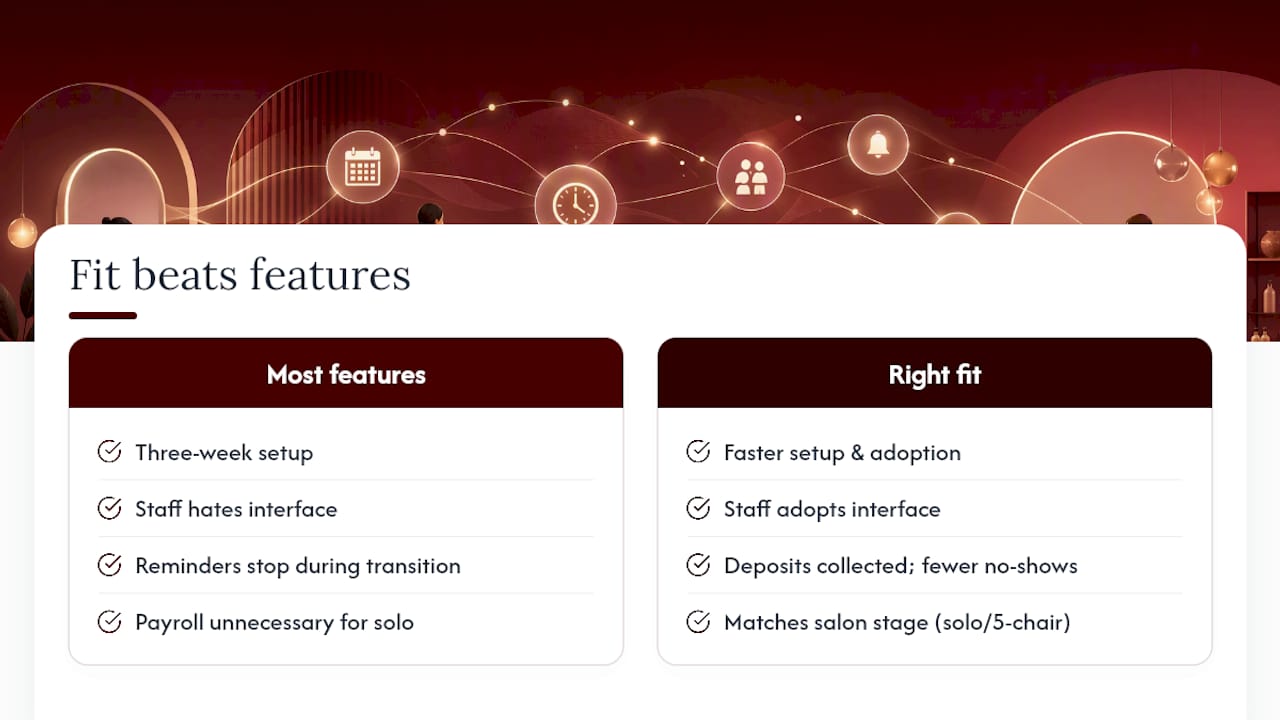
Every year, salon owners switch platforms chasing a feature they saw in a demo. The pattern is predictable: the new platform has the feature, but it takes three weeks to set up, the staff hates the interface, and client reminders stop going out during the transition.
The platforms that actually move the needle for salon revenue are the ones owners use consistently, not the ones with the most checkboxes. A booking system that reduces no-shows by getting deposits collected reliably is worth more than a platform with advanced reporting that nobody opens.
What gets underestimated is the cost of a mismatch between software complexity and where a business actually is. A solo suite renter doesn’t need payroll processing. A five-chair salon doesn’t need a bare-bones mobile app. The lifecycle framing matters because the wrong tool at the wrong stage creates friction that eats the time it was supposed to save.
The other thing most articles skip: onboarding support is a real differentiator, not a nice-to-have. Platforms that include hands-on implementation help, like LumariPRO’s coaching and onboarding structure, get salons to their first clean booking cycle faster. That first week of clean operations is when owners decide whether a platform sticks or gets abandoned.
Measure ROI simply: did no-shows go down, did repeat bookings go up, and did you spend less time on admin? If the answer to all three is yes after 60 days, you picked the right tool.
LumariPRO gives suite renters more than a booking page
Scheduling apps handle appointments. LumariPRO handles the business behind them.
For suite renters and solo pros who are serious about growing, the gap between a booking tool and a business platform is where most revenue gets left on the table. LumariPRO connects your POS and QuickBooks, surfaces real-time financial dashboards, and pairs you with AI coaching and expert-led support trained on the actual economics of suite ownership.
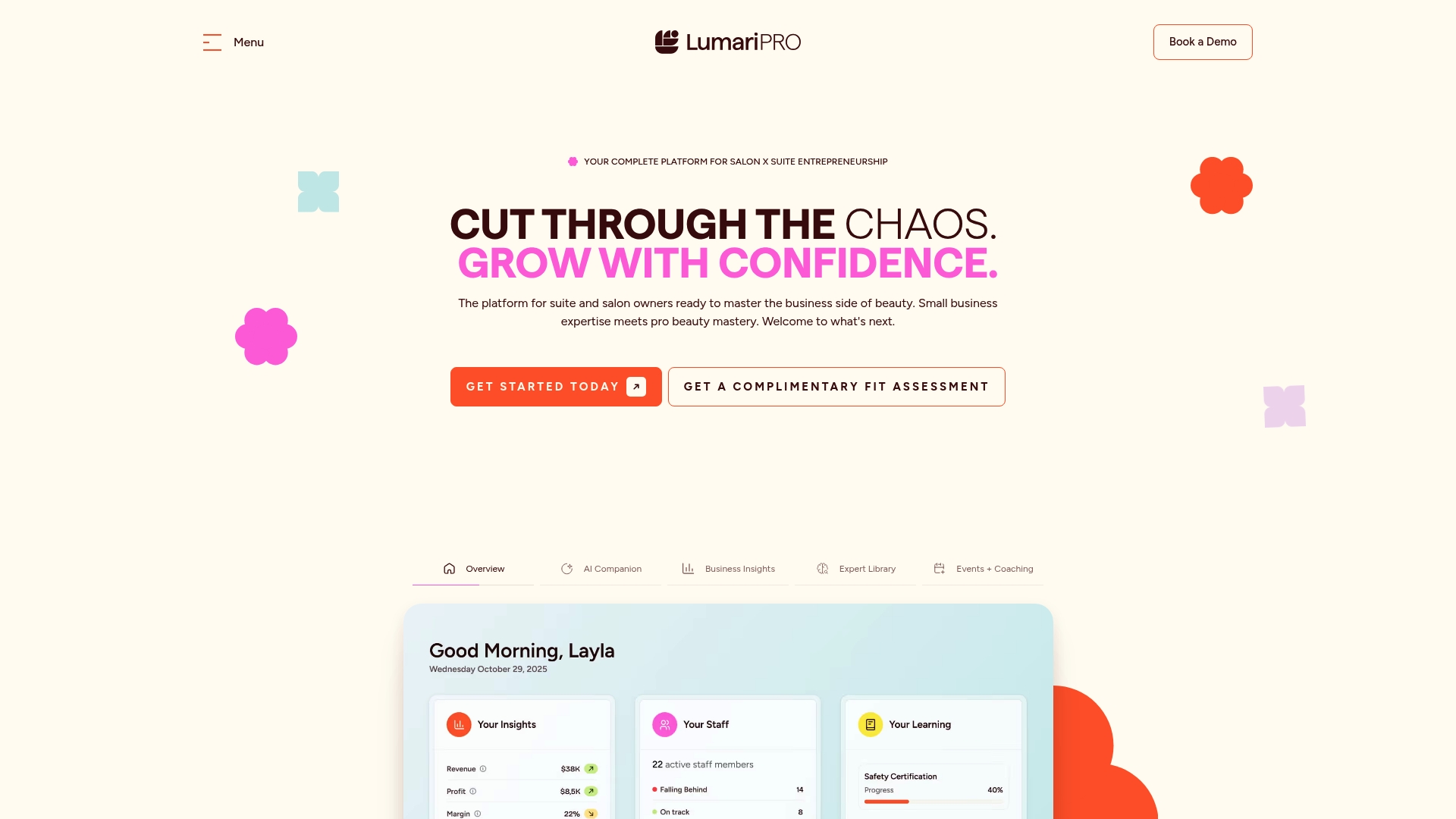
You get business playbooks, a peer community, staff training modules, and 1:1 coaching alongside the scheduling and payment tools. No generic small-business software. No borrowed advice from industries that don’t understand booth rent or retail margins.
If you’re ready to run your beauty business with the same clarity a business partner would bring, see how LumariPRO works and explore the platform features and pricing to find the right plan for where you are today.
Recommended